
products
services
resources
Contact us
Return to Blogs
Power BI Email Subscriptions - Complete Guide
Posted On:
April 2026
By:
Mohana Sai
If you've deployed Power BI at any scale, you've certainly used email subscriptions.
They are one of the simplest ways to keep the stakeholders informed. Schedule a report to land in someone's inbox without requiring them to login and find it themselves.
But like most features that look simple on the surface, the details matter a lot once you start using the email subscriptions in real time.
In this post we'll have an understanding of
What are Power BI email subscriptions?
Core capabilities of Power BI subscriptions.
10 common limitations of Power BI email subscriptions.
Let's dive into the details, starting with the basics.
What are Power BI email subscriptions?
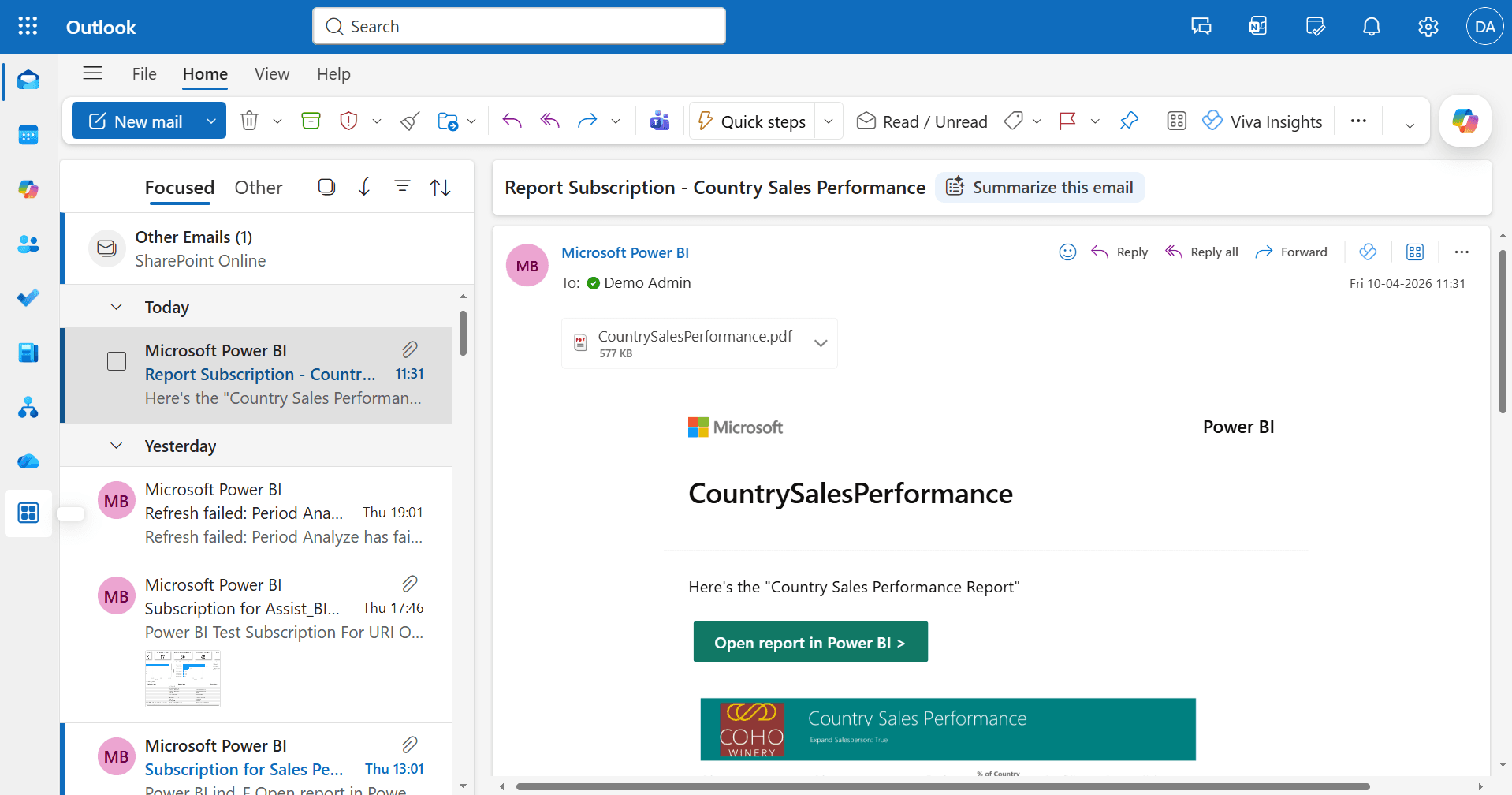
Email subscriptions in Power BI let users automatically receive an attachment of a report page, entire report or dashboard by email on a defined schedule.
The email typically includes an image of the report at the time of sending, a link back to the live report, and optionally an AI-generated summary.
Subscriptions can be set up by individual users or configured on behalf of others by report owners and admins.
Subscriptions work across both
Standard Power BI reports
Paginated reports.
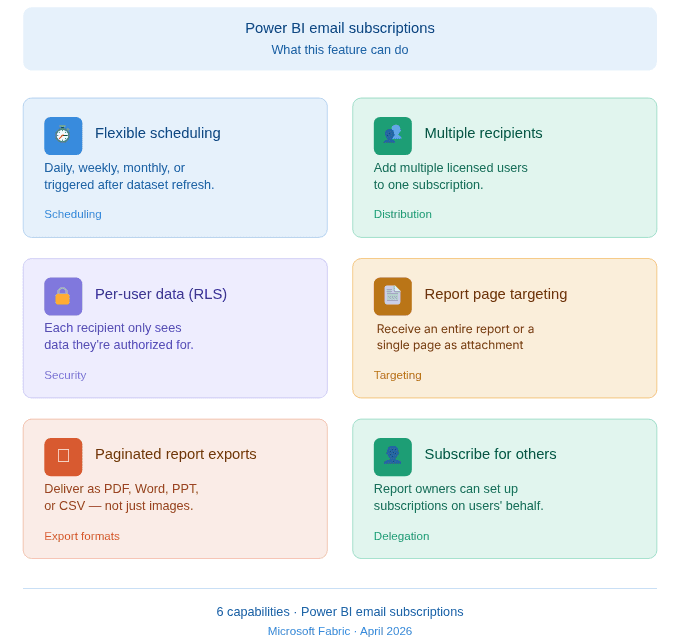
Power BI Email subscription capabilities:
10 Limitations of Email Subscriptions in Power BI:
These aren't obscure edge cases. Most of these limitations come up regularly for admins managing email subscriptions at scale.
No Org-Wide Visibility for admins
No capacity or workspace-level controls
Audit logs break on large subscriber lists
No permission controls below the tenant level
No Excel Export for Standard Reports
No Conditional Sending
Copilot summaries can't be customized
Paginated report subscriptions lag behind SSRS
No way to subscribe to a single visual or table
No monitoring digest for Fabric workloads
No org-wide visibility for admins
There is no centralized UI in the Power BI admin portal that shows all subscriptions across the tenant. Admins who want to audit, review, or clean up subscriptions have no way to do that in native Power BI.
For large organizations, this makes subscription governance genuinely difficult.
No capacity or workspace-level controls
The only administrative toggle for subscriptions is at the tenant level - on or off for everyone. There's no way to disable subscriptions for a specific workspace (like a dev or UAT environment) or for a particular capacity. Admins who want selective control are stuck with an all-or-nothing switch.
Audit logs break on large subscriber lists
When a report has a large number of subscribers, changes to that subscription - such as adding or removing recipients - are silently dropped from the audit log. This happens because of a 4KB size cap on audit log entries, which a large subscriber list easily exceeds.
For organizations with compliance requirements, this creates an unexpected blind spot.
No permission controls below the tenant level
Any user with viewer access to a report can create a subscription. There's no workspace-level setting to restrict subscription creation to contributors or above. Organizations that want to limit subscription volumes for performance, compliance, or cost reasons can't do so without removing broader access.
No Excel export for standard reports
Standard Power BI report subscriptions deliver a PNG image of the report page. There's no option to include the underlying data as an Excel or CSV attachment.
Recipients who want to work with the data offline have to open the report and export it themselves - which defeats part of the purpose of a subscription.
No conditional sending
Subscriptions always send on schedule, regardless of what the data shows. There's no way to configure a subscription to only fire when a condition is true - for instance, when a table has rows, or when a KPI exceeds a threshold (Monthly Sales dropped below the target 30000).
This means recipients regularly receive emails containing empty or unchanged reports, which erodes trust in the subscription as a meaningful signal.
Copilot summaries can't be customized
When the Copilot summary feature is enabled in a subscription, the model decides what to include. There's no way for report authors or admins to define the prompt or shape the output. The summaries can be generic or miss the point entirely, and there's currently no mechanism to improve them short of disabling the feature.
Paginated report subscriptions lag behind SSRS
Organizations migrating from Power BI Report Server or SQL Server Reporting Services expect paginated report subscriptions to carry feature parity with SSRS. They don't. Advanced features like data-driven subscriptions, custom delivery extensions, and flexible file-share delivery are either unavailable or require Power Automate as a workaround. For non-technical users, this creates friction and a steeper migration path than expected.
No way to subscribe to a single visual or table
Subscriptions operate at the report page or dashboard level. If a stakeholder just wants a specific table of data emailed to them on a schedule, there's no native way to do that. The granularity simply isn't there, it's the whole page or nothing.
No monitoring digest for Fabric workloads
Admins managing pipelines and Fabric workloads have no native way to create a custom monitoring view and subscribe to a daily summary email showing job run statuses, failure counts, and durations. The Monitor hub exists, but it doesn't support saved views or email alerts in the way that operations teams typically need.
At the end of the day, Power BI email subscriptions are a vital tool for "last mile" delivery, but as we've seen, they aren't without their hurdles.
For small teams, these 10 limitations might be minor inconveniences, but for organizations operating at scale, they represent significant governance and visibility gaps.
For teams that need unified governance, event-driven scheduling, and delivery across more than just email, platforms like
Assist BI
are designed to pick up where the native service leaves off.
Submit
Connect with us
For any queries on business, media, partnerships, recruitment, reach out to us
Analytics Aura is on a mission to unlock the full potential of automation to modernize analytics.
Contact us
letsconnect@analyticsaura.com
Location
26/2, 2nd Floor, LDC Road,
Chinna Chokikulam, Madurai, Tamil Nadu.
Cell B & C, ACIC-Mepco Innovative Foundation,
Sivakasi, Tamil Nadu.
2026 Analytics Aura. All rights reserved.
Privacy Policy
Support
Terms of Use
Cookie Settings